 AIGYMLABS
01Adaptive Core
Weekly Plan Rewrite
Next week is rebuilt from what you actually did: completed loads, reps achieved, and fatigue response.
- Input
- Executed Sets
- Signal
- RIR + Load Drift
- Output
- New Week Prescription
Builds, tracks and updates your workouts for you
Coming SoonEvidence-based resistance training programming that adapts weekly, manages fatigue, and runs on the gym floor even without signal.
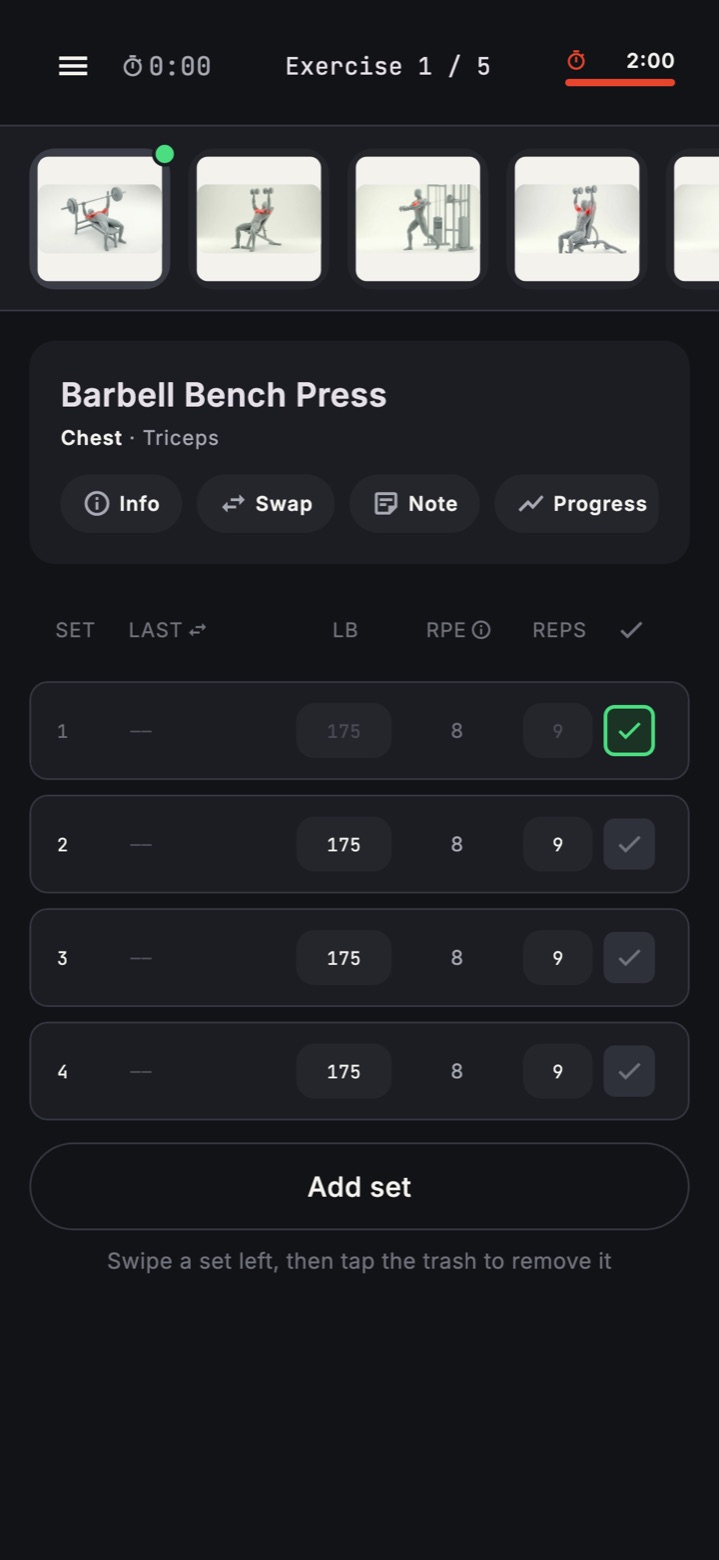
Six core mechanics. Clean execution. One adaptive engine that keeps training progressing without manual programming overhead.
Next week is rebuilt from what you actually did: completed loads, reps achieved, and fatigue response.
Load, reps, tempo, rest, and warm-up structure are prescribed set by set.
Exercise choices adapt to equipment availability, leverage, and movement intent.
Accumulation and deload are managed in repeatable blocks to control fatigue and keep progression sustainable.
Load progression advances when execution outperforms target RIR, not guesswork.
Sessions run without signal, including timers, exercise swaps, and plate calculations.
View Session UIYou set constraints once. The engine prescribes every working variable, then rewrites next week from completed session data and fatigue trends.
Goals, lift history, schedule, equipment access, and exercise limits define your starting ruleset.
The app builds your week structure and movement order around your available training days.
Each working set is prescribed with targets so execution is objective, not guesswork.
Progressions update automatically, and deload logic is applied when fatigue or performance signals require it.
Not a logger: this is generated programming that rewrites your next week from what you actually lifted.
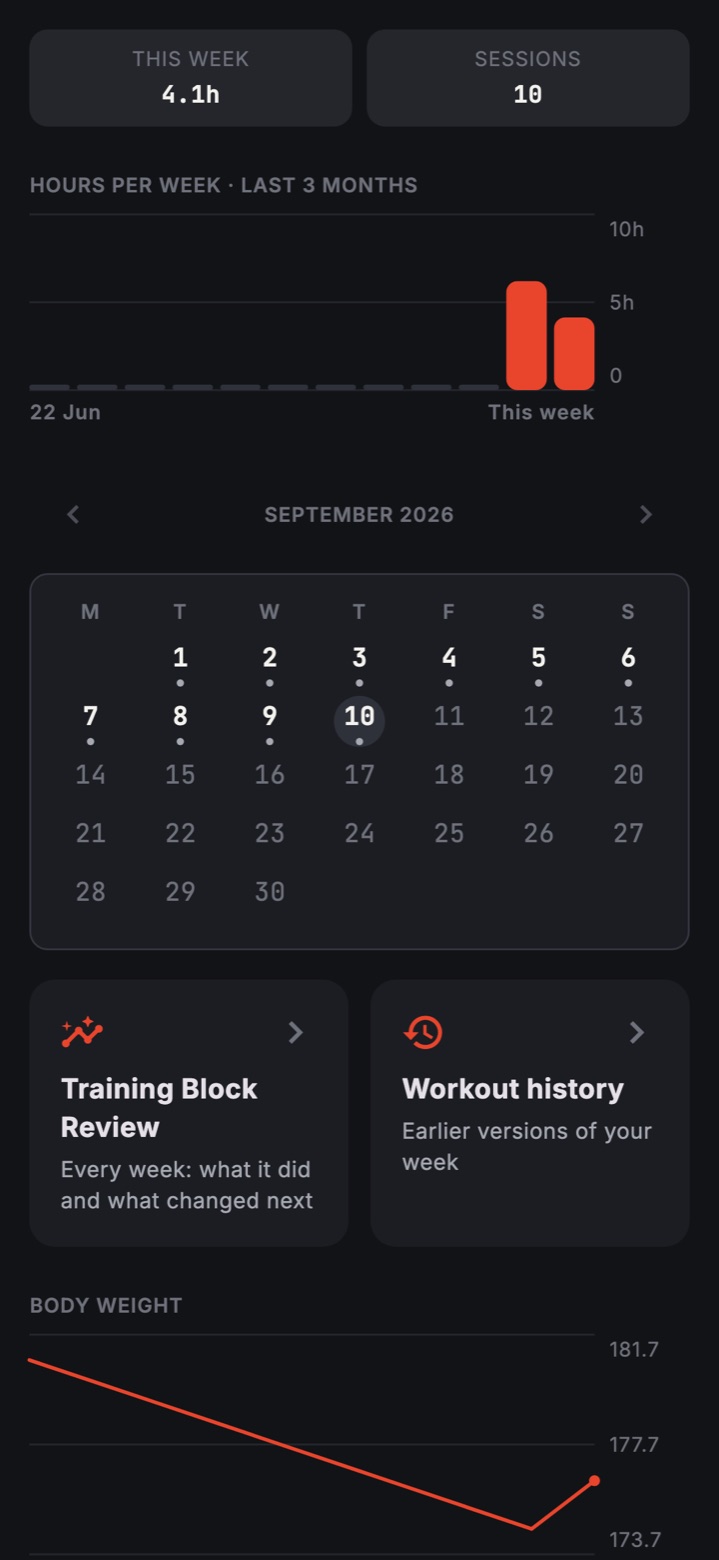
Planning, execution, analysis, and setup in one system. Real screens, real gym-floor workflow.
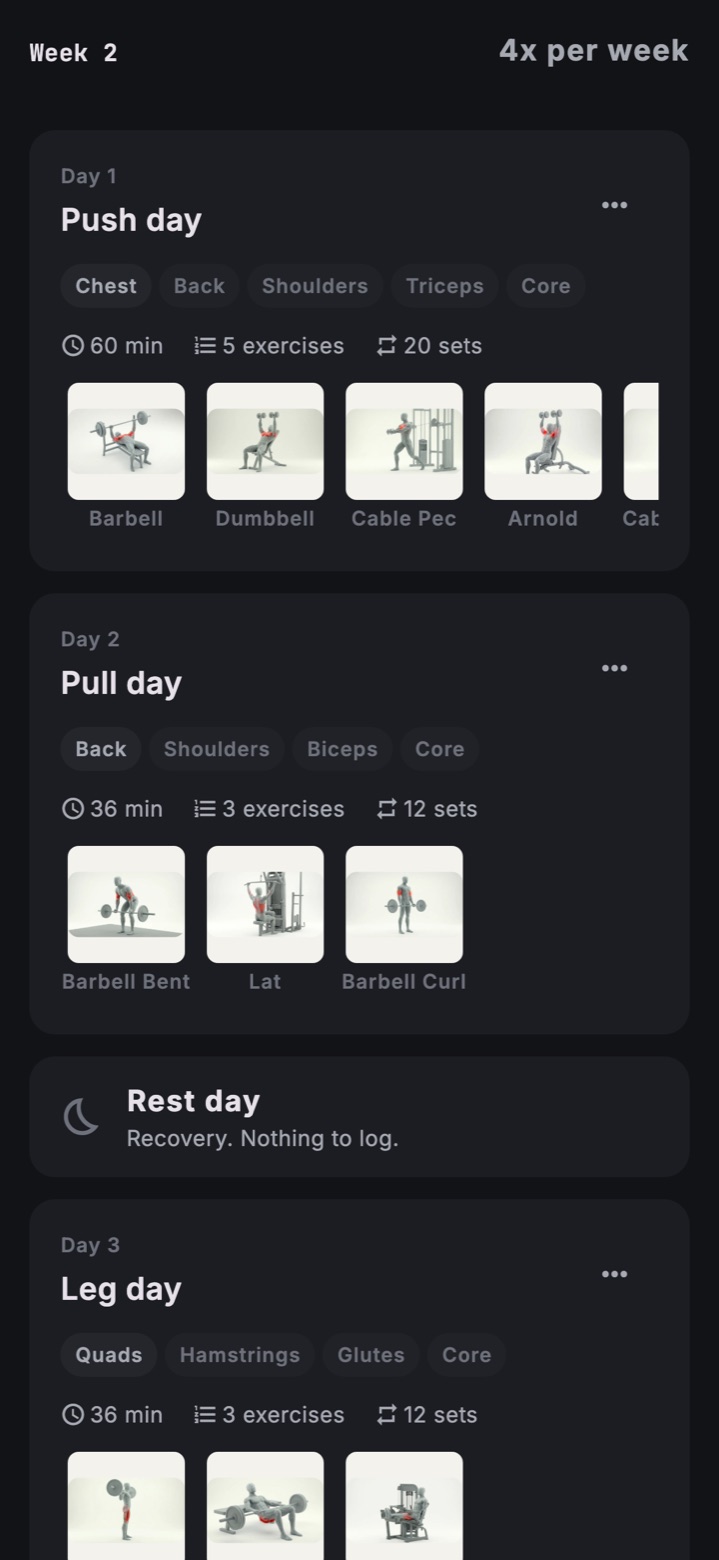
Your full weekly split, working sets, and loading structure in one glance.
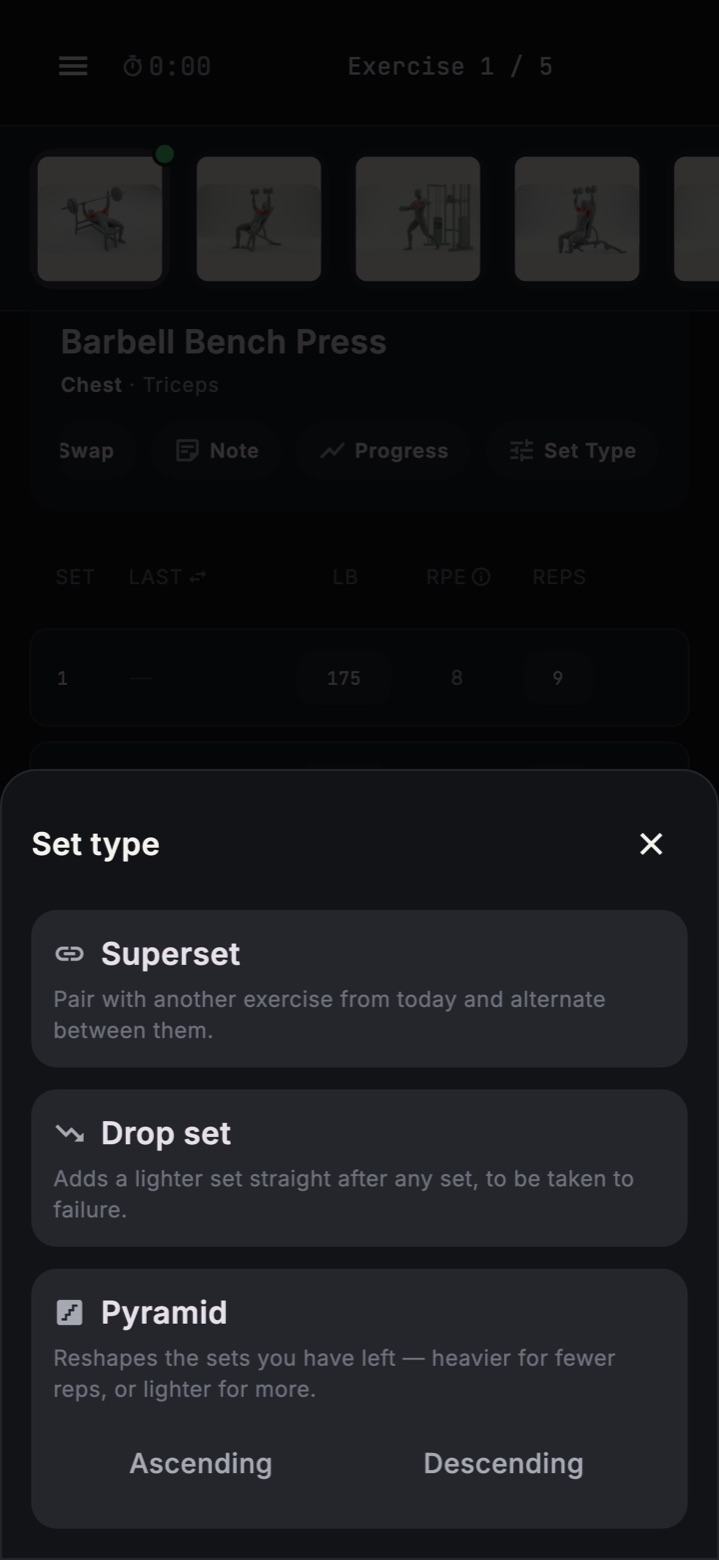
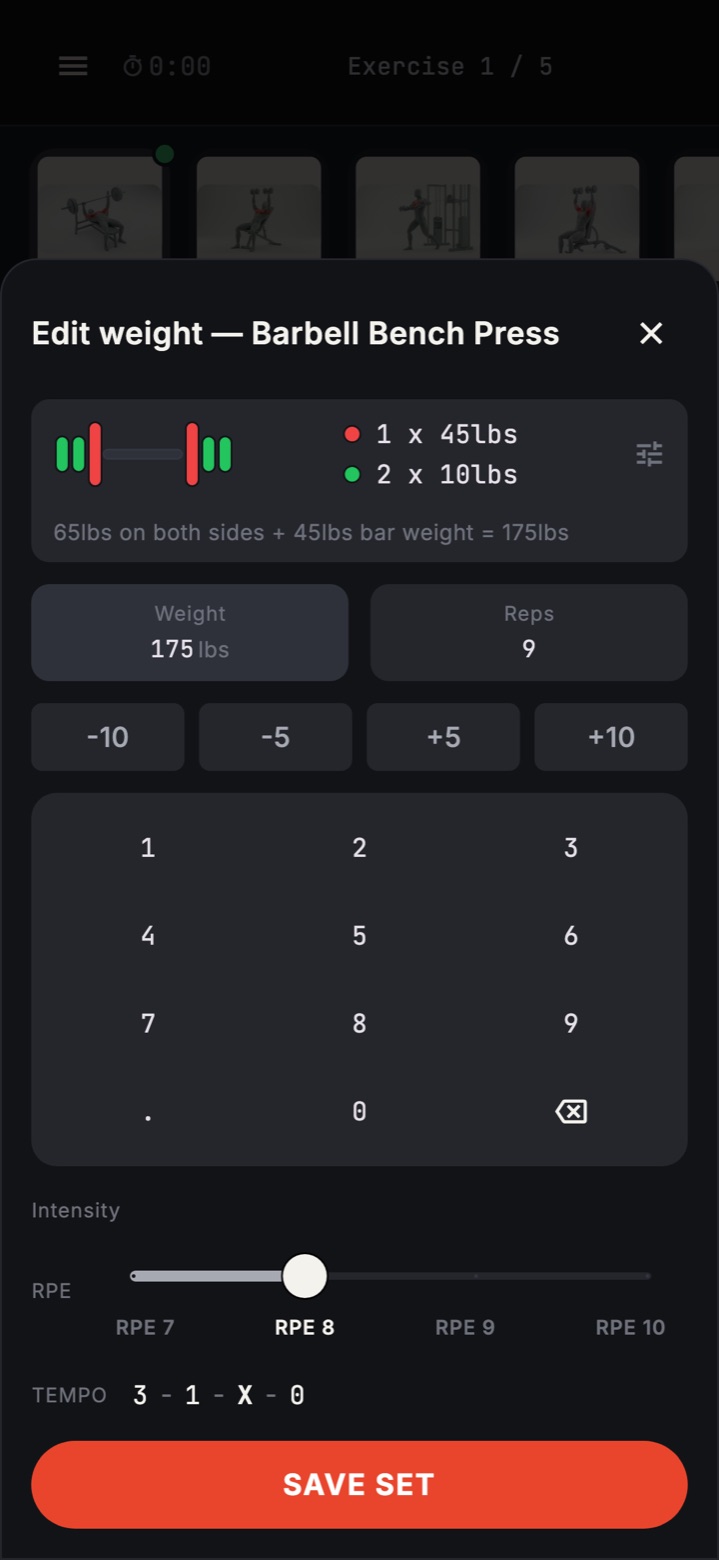
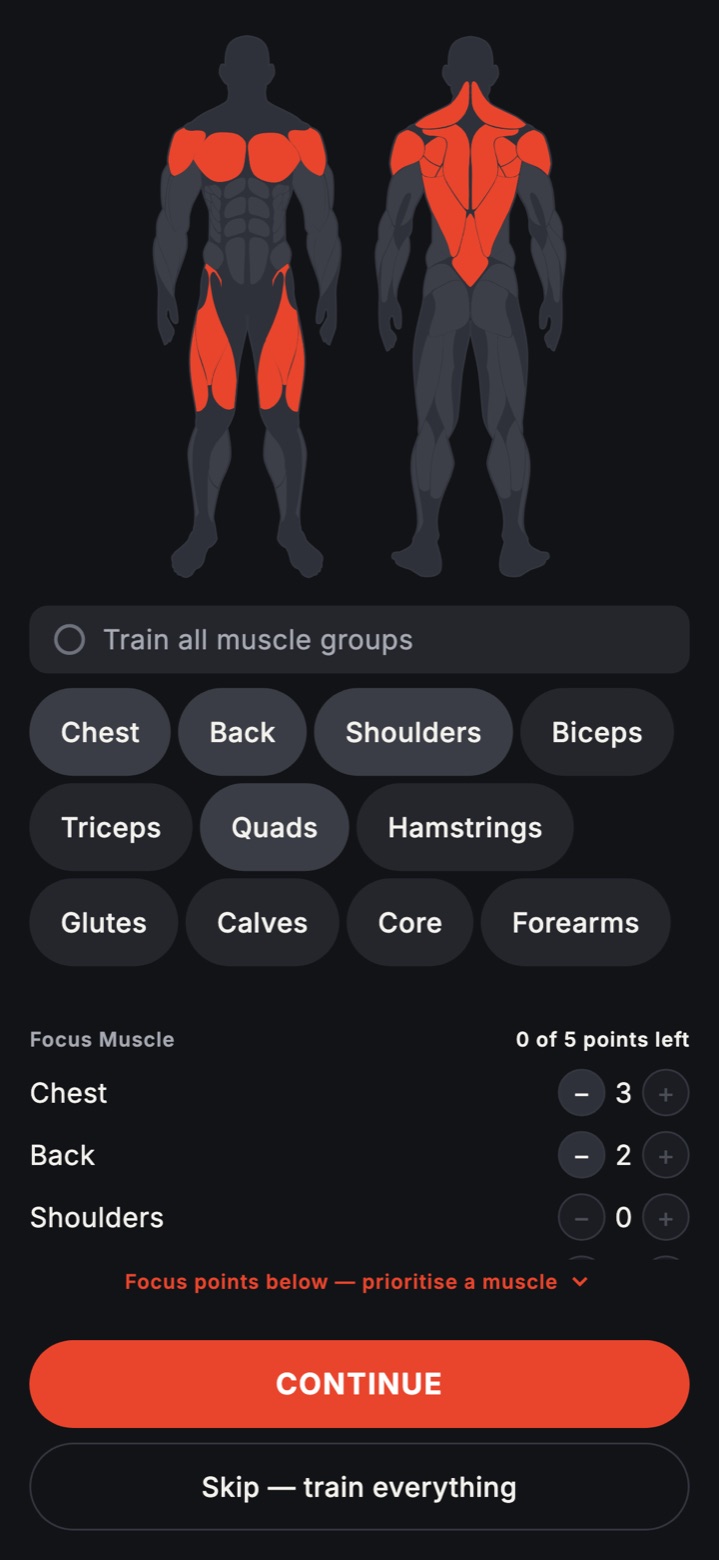
Get clear exercise selection, warm-up guidance, and working-set targets so you can train hard without guessing.
IntermediateWhen linear progression slows, the engine rewrites your next weeks from what you actually lifted.
AdvancedRun four-week volume blocks with RIR, tempo, and rest prescriptions that keep progression measurable.
Join the AIGymLabs waitlist for launch updates and first access to adaptive resistance-training programming.
Email us to join the waitlistWe only send launch and product updates. Unsubscribe anytime.
AIGymLabs is preparing for release across major app stores. Join the wait and be ready when access opens.
Coming SoonIf you train seriously, these are the decisions that matter before you install.
The engine reviews what you completed, how hard it was, and your recent trend. It then rewrites next week so load, set count, and exercise stress stay progressive but recoverable.
It replaces manual programming work for most lifters. If you need in-person technique correction or competition-day handling, a coach still adds value.
Yes. Active training sessions are usable offline, including prescribed sets, targets, and logging flow. Data sync resumes when connection returns.
Exercise selection is mapped by movement pattern and equipment availability. If a machine or setup is missing, you can swap and keep the same training intent.
Yes. It starts from your level, prescribes clear set-by-set instructions, and scales progression as technique and tolerance improve.
It adjusts volume, intensity, and exercise stress block to block instead of repeating static templates. That usually restores measurable overload when linear progression has stalled.
Deload logic uses performance trend, accumulated fatigue signals, and block progression state. When recovery debt rises, the next week is automatically reduced to restore readiness.
Yes. Swaps are constrained by biomechanics and movement role, so substitutions stay aligned with your plan rather than random replacements.
RIR targets are prescribed per working set to control effort and fatigue. Your logged RIR feedback is then used to tune future load and set prescriptions.
Live Activity rest-timer display is iOS-specific. On other platforms, rest timing is handled inside the app session view.
Yes, an account is required so plans, logs, and adaptive changes stay tied to you across devices. You can start on the available tier and upgrade only if you want more.
Yes. You can request export of your training data and request account deletion from settings or support, according to the current policy workflow.